
Looking for a Slayers 2 Script with Auto Level, Auto Farm, Boss Farm, ESP, Teleport, and other useful features? This guide covers scripts made specifically for Slayers 2 on Roblox, including keyless hubs and scripts that use a key or verification system.
Slayers 2 is an anime-inspired Roblox game where players complete quests, defeat enemies, improve their characters, unlock abilities, and progress through different areas. Because progression can involve repeating quests and combat encounters, some players look for scripts that automate parts of the grinding process.
The scripts covered in this guide may include features such as Auto Level, Auto Farm, Auto Quest, Boss Farm, Mob Farm, Auto Spin, Auto Skill, Auto Loot, ESP, Teleport, Dungeon Farm, and other Slayers 2-related functions.
Script availability and compatibility can change after Roblox or Slayers 2 updates. A feature listed by a script developer may also stop working when the game’s mechanics change, so always check the current version before using a script.
Table of Contents
What Is a Slayers 2 Script?
A Slayers 2 Script is third-party Lua code designed to add automation or utility features to Slayers 2 through a compatible Roblox script executor.
These scripts are generally focused on reducing repetitive gameplay tasks. Instead of manually selecting quests, defeating the same enemies, collecting rewards, or traveling between areas, supported scripts can automate some of these actions.
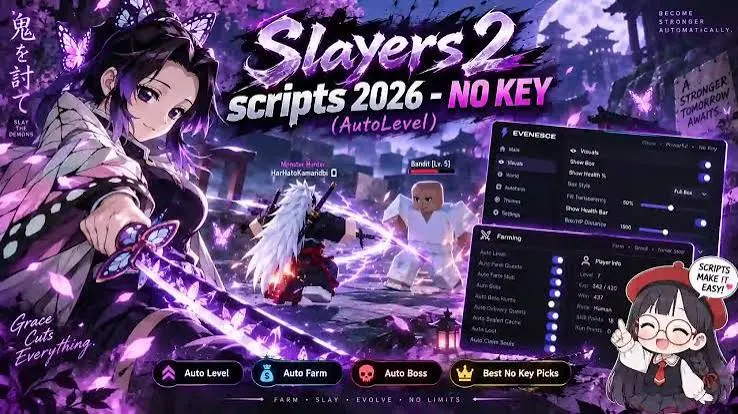
Depending on the script, available options may include:
- Auto Level
- Auto Farm
- Auto Quest
- Boss Farm
- Mob Farm
- Auto Spin
- Auto Skill
- Auto Loot
- Auto Chest
- ESP
- Teleport
- Dungeon Farm
- Anti-AFK
- Movement Controls
Not every Slayers 2 script contains all of these features. Each hub has its own feature set, and functionality can change after game updates.
Slayers 2 No Key / Keyless scripts
Ouroboros Hub
loadstring(game:HttpGet("https://raw.githubusercontent.com/joustingmatch/Ouroboros/main/loader.lua"))()Evenesce
loadstring(game:HttpGet("https://api.luarmor.net/files/v4/loaders/aa4e52f143ce2264c6fc74475781d247.lua"))()NW HUB
loadstring(game:HttpGet("https://nwhub-platform.vercel.app/loader.lua"))()SMSM
loadstring(game:HttpGet("https://bloxscript-cloud.vercel.app/api/v1/luascripts/public/ypC2wbagL7zB/download"))()Aeonic Hub
loadstring(game:HttpGet("https://raw.githubusercontent.com/mazino45/main/refs/heads/main/MainScript.lua"))()SportsClub
loadstring(game:HttpGet("https://loader.sportsclub.fun/loader.luau"))()sottoro
loadstring(game:HttpGet("https://api.luarmor.net/files/v4/loaders/d792d2a2b58c6e3335851d13b4f4f3a3.lua"))()RiftHubCC
Script code
loadstring(game:HttpGet("https://jnkie.com/loaders/rift"))()
ScriptVerse script preview
loadstring(game:HttpGet("https://scriptversekey.xyz/s/slayers-2"))()DZ HUB scrit
loadstring(game:HttpGet("https://dzhub.xyz/loader.lua"))()Also read: Illegal Soccer Script No Key
Slayers 2 Script Features
Auto Level
Auto Level is one of the main features players look for in a Slayers 2 script. It can automate parts of the leveling process by selecting suitable quests, defeating the required enemies, collecting rewards, and moving toward the next progression stage.
A properly configured Auto Level routine can reduce the amount of repetitive work involved in normal leveling.
Auto Farm
Auto Farm automates supported combat and farming activities. Depending on the hub, it may select enemies, attack them, collect rewards, and repeat the process.
Some scripts allow users to select specific mobs or farming areas instead of running a general farming routine.
Auto Quest
Auto Quest can automate quest selection and completion. It may locate the required NPC, accept a suitable quest, travel to the target area, defeat the required enemies, and return to complete the quest.
This feature can be particularly useful when progressing through multiple quest ranges.
Boss Farm
Boss Farm is designed to repeatedly target selected bosses. Some Slayers 2 scripts provide positioning settings that allow the player to remain at a chosen distance or location while the boss is being attacked.
Available options can include boss selection, farm position, distance, height, and other positioning controls.
Mob Farm
Mob Farm focuses on regular enemies instead of bosses. Players may be able to select a specific mob and let the script repeat the combat cycle automatically.
This can be useful for experience, drops, or other rewards associated with enemy farming.
Auto Spin
Auto Spin automates available spin or reroll mechanics in Slayers 2. Depending on the script, players may be able to select a desired rarity or result and stop the process when the selected condition is reached.
Auto Skill
Auto Skill automatically activates supported abilities during combat. Some scripts allow players to select which skills should be used and how frequently they should be activated.
Auto Loot
Auto Loot collects supported drops after enemies are defeated. This can reduce the need to manually walk around the area and pick up rewards.
Auto Chest
Auto Chest searches for and collects supported chests or similar reward objects. The feature may also include teleportation or movement between chest locations.
ESP
ESP provides visual information about objects in Slayers 2. Depending on the script, it can display players, mobs, bosses, NPCs, chests, or other relevant objects.
ESP can make it easier to locate targets without manually searching the entire area.
Teleport
Teleport allows quick movement to supported Slayers 2 locations. Depending on the hub, destinations may include quest NPCs, farming areas, bosses, dungeons, or other important locations.
Dungeon Farm
Dungeon Farm automates supported dungeon activities. Depending on the implementation, it may handle movement, combat, enemy targeting, and reward collection.
Dungeon automation can sometimes encounter progression issues if a wave, NPC, doorway, or other objective does not update correctly.
Anti-AFK
Anti-AFK features attempt to prevent the Roblox client from marking the player as inactive. Availability and behavior depend on the individual script.
Keyless Slayers 2 Scripts
Some Slayers 2 scripts are advertised as keyless, meaning users can access the hub without completing a separate key-verification process.
Ouroboros Hub
Ouroboros Hub is a keyless Slayers 2 option focused on progression and Auto Level functionality.
The latest check confirmed that the hub was working, with Auto Level being the primary feature checked individually. Other functions should be verified separately rather than assumed to work simply because the hub loads.
Evenesce
Evenesce is another keyless Slayers 2 hub with a wider selection of gameplay controls.
Its feature set can include:
- Boss farming
- Quest automation
- Dungeon automation
- Auto Level
- ESP
- Teleport
- Combat controls
- Farming options
The latest check found the hub working overall, although previous testing recorded occasional stalls during some quest and dungeon routines.
Evenesce Boss Farm Settings
During a Slayers 2 boss-farming test against Akazo, the following settings were used:
| Setting | Test Value |
|---|---|
| Boss | Akazo |
| Farm Position | Under |
| Y Axis Offset | 8 studs |
| Player Distance | 100 studs |
| Result | Farming continued while the player remained outside the boss’s damage range |
The fly speed was also easier to control at 10 rather than the default 50 during the test.
These values should not be treated as permanent settings because boss behavior and script functionality can change after Slayers 2 updates.
Slayers 2 Scripts With a Key System
Some Slayers 2 hubs require a key or verification step before their features can be accessed.
NW HUB
NW HUB is a Slayers 2 script hub that now uses a key system. Its features can include combat automation, clan-related options, farming tools, and configurable gameplay settings.
Previous automation results were mixed, and the latest regional check found that it did not work in Russia without a VPN.
SportsClub
SportsClub provides a broad collection of Slayers 2 automation and utility options. Its functions can include farming, dungeon tools, inventory-related features, and other progression controls.
During testing, its functions worked consistently, but the access process required two stages and the interface was less convenient.
The interface can also occupy part of the screen while playing. Its Toggle Interface option can be used to hide the menu when necessary.
SMSM
SMSM is a Slayers 2 script associated with leveling, spins, skills, and Lost Pages.
It uses a key system and was not independently tested in the latest review.
Aeonic Hub
Aeonic Hub focuses on Slayers 2 progression features such as level farming, mob farming, chest collection, and training.
It requires an access step and was not independently tested in the latest review.
sottoro
sottoro is a Slayers 2 script focused on quest and dungeon progression. It uses a key system and its current functionality was not independently verified.
RiftHubCC
RiftHubCC provides Slayers 2 features related to farming, chest collection, combat, and server utilities.
Its current version was not included in the latest hands-on testing.
ScriptVerse
ScriptVerse includes Slayers 2-related movement, quest, and teleport features.
The script uses an access system, and its current functionality was not independently tested.
DZ HUB
DZ HUB provides a smaller collection of Slayers 2 farming, spin, and movement options.
Its current features were not independently verified in the latest check.
Berri_Hub
Berri_Hub is associated with Slayers 2 farming, ESP, and teleport features.
The current version was not included in the latest hands-on testing.
nobulem.wtf
nobulem.wtf is listed as a Slayers 2 script with a key-based access system. A detailed feature list was not available in the supplied information, and its current functionality was not independently tested.
Slayers 2 Script Comparison
| Script | Access | Main Focus | Current Status |
|---|---|---|---|
| Ouroboros Hub | No Key | Auto Level and progression | Working |
| Evenesce | No Key | Bosses, quests, dungeons, ESP | Working overall |
| NW HUB | Key System | Farming and combat | Regional limitations reported |
| SportsClub | Key System | Farming and dungeon tools | Functions worked during testing |
| SMSM | Key System | Leveling, spins, skills | Not tested |
| Aeonic Hub | Key System | Levels, mobs, chests | Not tested |
| sottoro | Key System | Quests and dungeons | Not tested |
| RiftHubCC | Key System | Farming, chests, combat | Not tested |
| ScriptVerse | Key System | Quests, movement, teleports | Not tested |
| DZ HUB | Key System | Farming, spins, movement | Not tested |
| Berri_Hub | Key System | Farming, ESP, teleports | Not tested |
| nobulem.wtf | Key System | Feature details unavailable | Not tested |
How to Use Slayers 2 Script
The exact process depends on the script and executor you use. Always check the individual script’s compatibility before running it.
- Open Roblox and launch Slayers 2.
- Wait until your character, quests, inventory, and current area have completely loaded.
- Choose a Slayers 2 script and check whether it is keyless or requires a key.
- Open a compatible Roblox script executor according to its documentation.
- Copy the complete Slayers 2 script or loader.
- Paste the code into the executor’s script editor.
- Run the script while Slayers 2 is open.
- Wait for the script interface to load.
- Start with one feature, such as Auto Quest, Auto Farm, or Boss Farm.
- Check that the selected quest or target is working correctly.
- Enable additional features such as Auto Skill, Auto Loot, ESP, Teleport, or Auto Spin one at a time.
- If a feature stops working, check whether the Slayers 2 game or script has recently been updated.
Never provide your Roblox password, session cookies, authentication codes, or other sensitive account information to a script or executor.
Common Slayers 2 Script Problems
Auto Level Is Not Working
Auto Level may fail when the script cannot identify the correct quest, target, or progression area.
Check that the selected level range and quest are supported by the current script version.
Auto Quest Gets Stuck
Quest automation can stop when an NPC, enemy, objective, or quest location does not respond as expected.
Restart the quest feature and check whether a newer script version is available.
Boss Farm Stops
Boss Farm can fail if the boss location or combat mechanics have changed.
Check the selected boss and positioning settings before restarting the farm.
Dungeon Farm Gets Stuck
Dungeon automation can stop if a wave, door, objective, or enemy does not progress correctly.
Restart the dungeon routine and verify that the script supports the current dungeon version.
ESP Does Not Appear
ESP may stop working if the game’s object structure changes.
Check that ESP is enabled and that the script is updated for the current Slayers 2 version.
Teleport Does Not Work
Teleport destinations can change when the game map is updated.
Check whether the selected location is still supported by the current script.
Auto Spin Does Not Stop
If an Auto Spin feature continues past the desired result, check the rarity or stopping condition settings.
Why Slayers 2 Scripts Stop Working
Slayers 2 scripts depend on game systems that can change through updates. When the game’s quests, enemies, maps, remote functions, or other mechanics are modified, older scripts may stop functioning correctly.
Common causes include:
- Slayers 2 received an update.
- The script has not been updated.
- The executor is incompatible.
- A quest or NPC was changed.
- Enemy behavior was modified.
- Dungeon mechanics changed.
- Teleport locations were changed.
- A particular feature was removed or broken.
If the entire hub fails to load, check script and executor compatibility. If only one function fails, the problem may be limited to that feature.
Is It Safe to Use Slayers 2 Scripts?
Slayers 2 scripts and Roblox executors are unofficial third-party tools. They can create security risks if downloaded from unreliable sources, and using unauthorized scripts may violate Roblox’s rules.
Do not enter your Roblox password, session cookies, two-step verification codes, or backup codes into a script or executor.
Also avoid downloading suspicious files or disabling security software simply because a script page requests it.
A script working during a test does not mean that it is guaranteed to be safe, undetected, or permanently supported.
Frequently Asked Questions
What Is a Slayers 2 Script?
A Slayers 2 Script is third-party Lua code designed to automate or modify supported gameplay functions in the Roblox game Slayers 2. Common features include Auto Level, Auto Farm, Auto Quest, Boss Farm, ESP, Teleport, Auto Skill, and Auto Loot.
Which Slayers 2 Scripts Are Keyless?
Ouroboros Hub and Evenesce are listed as keyless options in this guide. Their access requirements can change if the script developers update their systems.
What Is the Best Slayers 2 Script for Auto Level?
Ouroboros Hub is specifically focused on Auto Level and was working during the latest check. However, script functionality can change after game updates, so current compatibility should always be verified.
Does Evenesce Have Boss Farming?
Yes. Evenesce includes boss-farming controls, including target and positioning options. The Akazo test used a position under the boss, an 8-stud Y-axis offset, and a 100-stud player distance.
Does NW HUB Require a Key?
NW HUB currently uses a key system. The latest regional check also found access problems in Russia without a VPN.
Does SportsClub Work in Slayers 2?
SportsClub’s tested functions worked consistently during the latest check. However, its access process involved two stages, and its interface was less convenient during testing.
Why Does My Slayers 2 Script Stop Working?
The most common reasons are an outdated script, Roblox or Slayers 2 updates, executor incompatibility, or changes to quests, enemies, maps, or other game mechanics.
Can Slayers 2 Scripts Get My Roblox Account Banned?
Using unauthorized scripts or exploit tools may violate Roblox’s rules and can result in account restrictions or other enforcement. There is no guaranteed way to prevent those consequences.
Can I Use Slayers 2 Scripts on Mobile?
Mobile support depends on the individual script and compatible executor. The scripts in this guide should not be assumed to support every device unless the current script information specifically confirms it.
Conclusion
Slayers 2 Scripts are designed to automate repetitive parts of progression in the Roblox game Slayers 2. Depending on the hub, features can include Auto Level, Auto Farm, Auto Quest, Boss Farm, Mob Farm, Auto Spin, Auto Skill, Auto Loot, Auto Chest, ESP, Teleport, and Dungeon Farm.
Ouroboros Hub and Evenesce are currently listed as keyless options, while NW HUB, SportsClub, SMSM, Aeonic Hub, sottoro, RiftHubCC, ScriptVerse, DZ HUB, Berri_Hub, and nobulem.wtf use a key or access system.
Ouroboros Hub is focused on Auto Level, while Evenesce provides a broader selection of boss, quest, dungeon, ESP, and teleport controls. SportsClub has tested functions but uses a more involved access process, and NW HUB has reported regional access limitations.
Because Slayers 2 and Roblox can change frequently, script compatibility is not permanent. Always check the current script version before using it, keep your account credentials private, and understand the risks associated with third-party Roblox scripts.