
Steal a Brainrot is one of the popular Roblox games built around collecting Brainrots, earning in-game cash, protecting your collection, and competing with other players. Because the game involves repeated collecting and stealing activities, some players look for third-party scripts that automate parts of the gameplay.
Steal a Brainrot Script is a collection of third-party functions that may provide options such as Collect Cash, Auto Lock, Instant Steal, Pet Finder, and other automation features. Some versions may also advertise keyless execution and support for both PC and mobile devices.
The exact features and compatibility can change whenever the game or Roblox receives an update. For that reason, a function listed by one script version may not work in another release.
Table of Contents
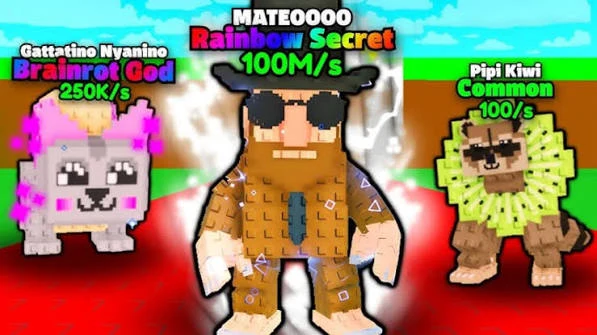
What Is Steal a Brainrot Script?
Steal a Brainrot Script is a third-party Roblox script designed to provide additional gameplay controls and automation for Steal a Brainrot.
Instead of performing every repetitive action manually, players may be able to activate selected functions through a graphical user interface. Depending on the current script version, the available options can include cash collection, stealing, target locking, pet finding, and other gameplay utilities.
Some scripts may be keyless, while others can use a key system. Device support also depends on the executor and script version being used.
The Best Scripts Steal a Brainrot Roblox
Auto Steal, Speed, Infinite Jump, Invisible
loadstring(game:HttpGet("https://api.luarmor.net/files/v4/loaders/d57c849fd53c7b874a9b48c5ed238fb9.lua"))()Booster, Teleport, Brainrot & Player ESP, X-Ray, Auto Grab
loadstring(game:HttpGet("https://pastebin.com/raw/vkvzPBgi"))()Kurd Hub, Nine Hub, Full UGC Emote
loadstring(game:HttpGet("https://raw.githubusercontent.com/UniversalScriptHub/SAB-Keyless-OP-Script/refs/heads/main/All-SAB-Script.Loader"))()Notify Egg
loadstring(game:HttpGet("https://pastefy.app/ky0QnTCN/raw"))()Desync, Win Duels, Instant Steal, Anti Hit, Auto Win
loadstring(game:HttpGet("https://api.luarmor.net/files/v3/loaders/469095d9d52d9e123298c64aeb62005f.lua"))()Invisible, Trade Freeze, AutoFarm
loadstring(game:HttpGet("https://raw.githubusercontent.com/panelhenil-oss/HULK/refs/heads/main/HULK.txt"))()Instant Steal, Auto Play, Auto Win Duels, Spawner
loadstring(game:HttpGet("https://api.luarmor.net/files/v4/loaders/e8c2b7bdfd494b913839f58581a203f9.lua"))()Instant Steal, Desync, Win Duels, Anti Hit
loadstring(game:HttpGet("https://raw.githubusercontent.com/dontasklol/Stealingurbrainrots/refs/heads/main/Kurd%20hub"))()Also check: Sailor Piece Script
Steal a Brainrot Script Features
Collect Cash
Collect Cash is designed to automate the process of collecting available in-game money. Rather than manually checking and collecting cash repeatedly, the function can handle the collection process automatically when supported by the current game version.
This can reduce repetitive tasks and allow players to focus on other parts of Steal a Brainrot.
Instant Steal
Instant Steal is one of the main features advertised for some Steal a Brainrot scripts. It is designed to make stealing Brainrots happen more quickly instead of requiring precise manual timing.
The feature can be useful for players who want to automate or simplify the stealing process. Its functionality may change if the game’s stealing mechanics are updated.
Auto Lock
Auto Lock helps maintain a selected target during gameplay. Instead of repeatedly searching for and selecting a target manually, the feature is designed to keep the selected target locked.
This can be useful during fast-paced situations where players need to keep track of a particular Brainrot or target.
Pet Finder
Pet Finder is designed to help locate valuable pets around the map. Instead of exploring the entire map manually, the feature can assist players in identifying available pets.
The exact information displayed by Pet Finder depends on how the script interacts with the current version of the game.
Auto Collect
Some versions may include additional automatic collection options for items or rewards. These functions are designed to reduce repetitive movement and collection tasks.
Availability can vary between script releases.
Keyless Support
Certain Steal a Brainrot scripts are advertised as keyless, meaning users may not need to complete a separate key verification process before accessing the script.
However, key requirements can change between releases, so always check the current version before assuming that a script is completely keyless.
GUI Controls
A graphical user interface can make the script easier to manage. Instead of entering commands manually, players can access available features through buttons, toggles, and settings.
The layout and available controls depend on the script version.
Steal a Brainrot Gameplay
Steal a Brainrot is centered around collecting Brainrots and managing your resources while competing with other players. Players can build their collection, earn cash, and attempt to obtain Brainrots from other players.
The multiplayer nature of the game makes it particularly interesting when playing with friends because players need to manage their own collection while paying attention to what is happening around them.
As more players join the game, collecting valuable Brainrots and managing resources can become increasingly competitive.
How to Use Steal a Brainrot Script
The exact process depends on the script and the executor required by its current version. A general setup may look like this:
- Open Roblox and sign in to your account.
- Launch Steal a Brainrot.
- Use a compatible third-party executor if the script requires one.
- Obtain the latest version of the Steal a Brainrot Script from its source.
- Copy the script code.
- Paste the code into the executor.
- Execute the script while Steal a Brainrot is running.
- Wait for the script GUI to load.
- Review the available settings.
- Enable the features you want to use.
- Adjust available options such as Auto Lock, Collect Cash, Instant Steal, or Pet Finder.
- Disable individual functions if they cause errors or unexpected behavior.
Only use third-party scripts from sources you trust. Never enter your Roblox password, cookies, authentication tokens, or other sensitive account information into an unknown script or executor.
Steal a Brainrot Script for Mobile
Some script executors support mobile devices, while others are designed for PC. Therefore, mobile compatibility depends on both the executor and the specific Steal a Brainrot script.
If you want to use a script on Android or iOS, check whether the current executor supports your device and Roblox version. A script that works on PC is not automatically guaranteed to work on mobile.
Steal a Brainrot Script for PC
PC users may have access to a wider range of third-party script executors. However, the script still needs to be compatible with the current Roblox and Steal a Brainrot versions.
If the GUI does not appear or a feature fails to respond, the script or executor may need an update.
Why Steal a Brainrot Scripts Stop Working
Roblox games can change frequently, and updates may modify the systems that third-party scripts depend on. A game update can therefore cause an automation feature to stop working even if the script worked previously.
Common reasons include:
- Steal a Brainrot received a new update.
- Roblox changed a system used by the executor.
- The script has not been updated.
- The executor is incompatible with the current Roblox version.
- A particular feature was changed or removed.
- The game’s interface or mechanics were modified.
If only one feature stops working while other functions continue to operate, the issue may be limited to that particular function.
How to Fix Steal a Brainrot Script Problems
If the script does not work, start by closing Roblox and reopening the game. Then check whether a newer version of the script or executor is available.
If the GUI appears but a specific feature does not function, test the other features individually. This can help determine whether the problem affects the entire script or only one function.
It is also important to avoid repeatedly running outdated scripts that produce errors. If the game has recently received a major update, waiting for the script developer to release a compatible version may be necessary.
Is Steal a Brainrot Script Safe?
Third-party Roblox scripts should always be treated with caution. A script described as verified, working, or safe by its publisher does not automatically guarantee that it is free from security risks.
Unknown scripts can contain unwanted code, while unauthorized automation may violate Roblox’s rules and could potentially result in account restrictions.
Before running any third-party script, consider its source and avoid sharing sensitive information. Never provide your Roblox password, session cookies, authentication tokens, or other private account credentials to a script provider or executor.
Does Steal a Brainrot Script Have a Key?
Some versions may be keyless, while other releases may require users to complete a key system before using the script.
The key requirement depends on the individual script release. Check the current version for accurate information rather than assuming that every Steal a Brainrot script uses the same system.
Does the Script Work on Every Device?
Not necessarily. Device compatibility depends on the executor, Roblox version, operating system, and script implementation.
Some versions may support both PC and mobile, while others may only function in specific environments. Always verify compatibility before attempting to run a third-party script.
Tips for Using Steal a Brainrot Scripts
Check the Script Version
Game updates can make older scripts unreliable. Use a version that has been updated for the current game environment whenever possible.
Review the Settings
Before enabling multiple functions, review the available GUI settings. Understanding what each option does can help prevent unwanted behavior.
Avoid Sensitive Information
Never enter account passwords, cookies, or authentication tokens into scripts or unknown third-party websites.
Test Features Individually
If several functions are available, testing them individually can make it easier to identify which feature is causing an issue.
Keep Expectations Realistic
No third-party script can guarantee permanent compatibility, uninterrupted functionality, or freedom from account restrictions. Features can stop working when the game changes.
Frequently Asked Questions
What is Steal a Brainrot Script?
Steal a Brainrot Script is a third-party Roblox script that provides additional automation and gameplay functions for Steal a Brainrot. Features can include Collect Cash, Auto Lock, Instant Steal, Pet Finder, and other options depending on the release.
What does Instant Steal do?
Instant Steal is designed to simplify or automate the stealing process by reducing the timing required for a manual steal. Its behavior depends on the current script and game version.
What does Auto Lock do?
Auto Lock is designed to maintain a selected target so players do not need to repeatedly select or track the target manually.
What is Pet Finder?
Pet Finder is intended to help players locate pets around the game map. The exact information and behavior depend on the script version.
Can I collect cash automatically?
Some Steal a Brainrot scripts include a Collect Cash or similar automation feature that is designed to collect available in-game cash automatically.
Is Steal a Brainrot Script keyless?
Some releases are advertised as keyless, but other versions may use a key system. Requirements can change between script updates.
Does Steal a Brainrot Script work on mobile?
Some scripts may support mobile through compatible executors, but mobile compatibility is not guaranteed for every release.
Why did my script stop working?
The game or Roblox may have received an update that changed something the script depends on. An outdated script or incompatible executor can also cause problems.
Can scripts get my Roblox account banned?
Using unauthorized third-party scripts can carry a risk of account restrictions because they may violate Roblox’s rules. No script can guarantee that an account will never be banned or restricted.
Conclusion
Steal a Brainrot Script provides a collection of third-party automation features for players who want additional controls while playing Steal a Brainrot. Depending on the release, features may include Collect Cash, Instant Steal, Auto Lock, Pet Finder, Auto Collect, GUI controls, and keyless access.
The script can reduce some repetitive tasks and provide additional customization through its interface. However, compatibility can change whenever Roblox or Steal a Brainrot receives an update.
Always check the current version, use caution with third-party code, and protect your Roblox account information when using external scripts or executors.